Linux Kamarada

What about having the 2026 FIFA World Cup fixtures and scores right on your Linux desktop? You can add all the games to the calendar so that you can organize your routine not to miss a fixture you really want to watch. Today you are going to see how to do that.

Comments Read more ›


Flatpak is a distribution-agnostic package manager. It brought a simpler alternative to install programs on different distros: as long as Flatpak is installed on the system, the same Flatpak package can be installed on any distro. A Flatpak package contains not only the application, but also most of the libraries needed to run it. Applications...

Comments Read more ›

One of the strengths of Arch Linux (and derivative distributions such as Manjaro and, by extension, Linux Kamarada) is the Arch User Repository (better known by the acronym AUR). If you have used, or are currently using, any of these distributions, you have probably heard about the AUR: maybe you searched for how to install...

Comments Read more ›

Search for VPNs has recently increased in Brazil, according to data from Google Trends. We've already presented here the Tor Network (a well-known free VPN). Given the recent resurgence of interest in the topic, I want to suggest more 5 VPNs for you to try on Linux.

Comments Read more ›

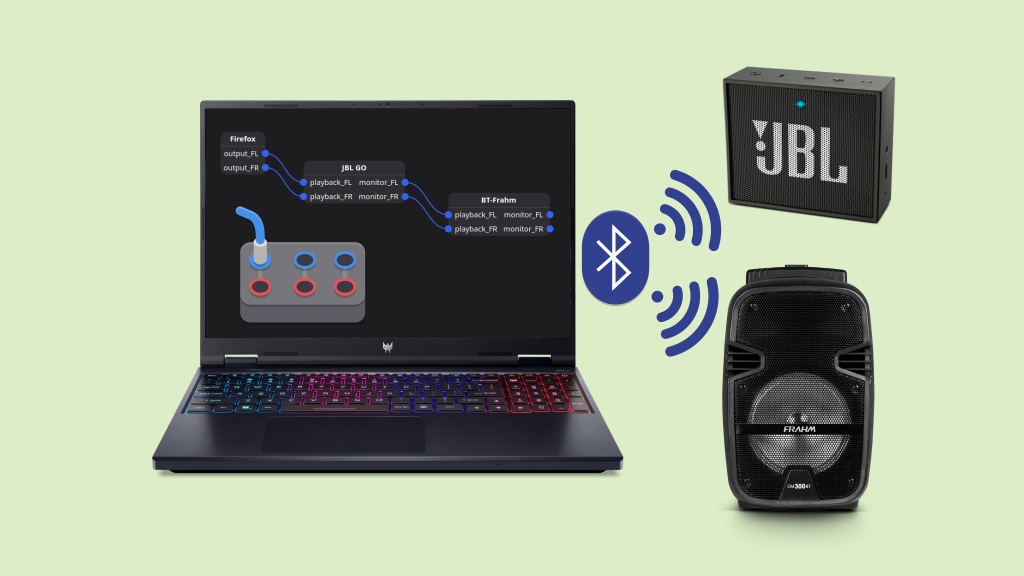
Have you ever tried using two Bluetooth speakers at the same time on Linux? The sound only comes out of one of them, without using anything beyond what comes “out of the box” with the system. But if the system uses PipeWire as the sound server, as is the case with Manjaro and the new...

Comments Read more ›

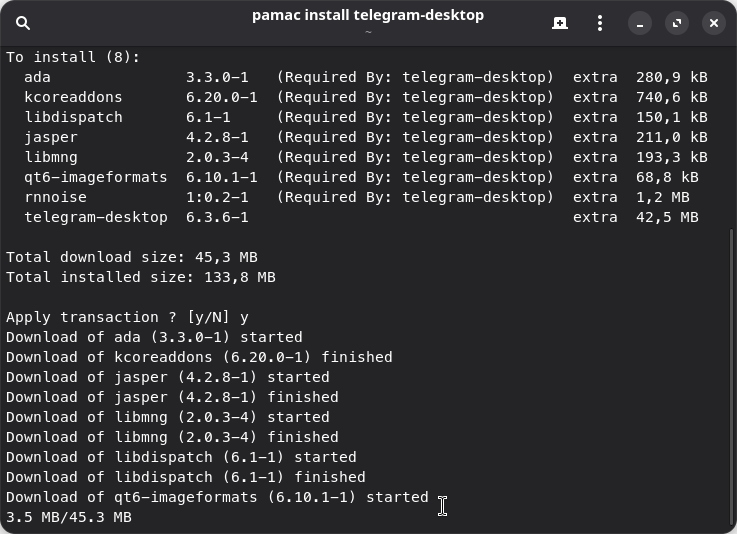
We’ve seen how to install software on Manjaro using the Pamac graphical interface, but it also has a command-line interface. Therefore, you can install programs on Manjaro using the terminal and the pamac command, either because you prefer to use the terminal, or a graphical interface isn’t available (e.g. you’re maintaining a server or your...

Comments Read more ›

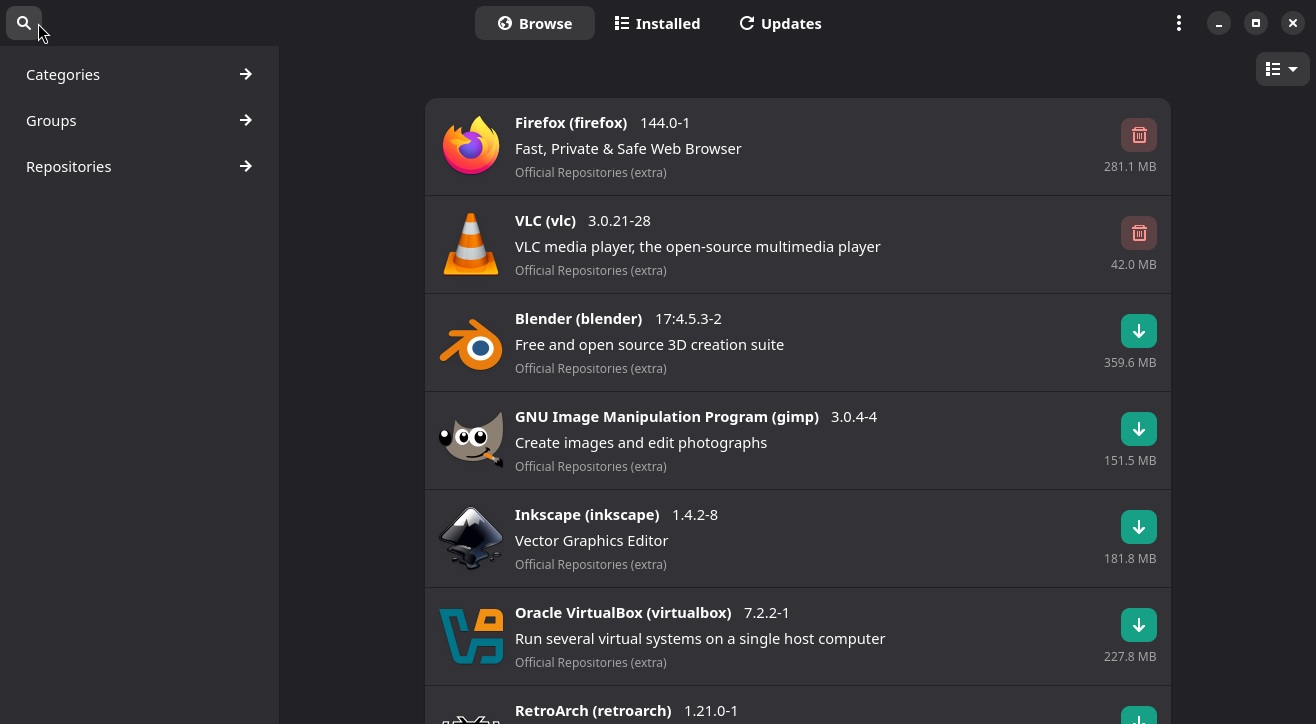
“How to install apps” is the first question everyone trying out a new Linux distribution asks themselves, just as I did when I started using Manjaro. And the answer is: it’s possible to install software in several ways, just like it is on Windows, for example. But it can be as simple as installing apps...

Comments Read more ›

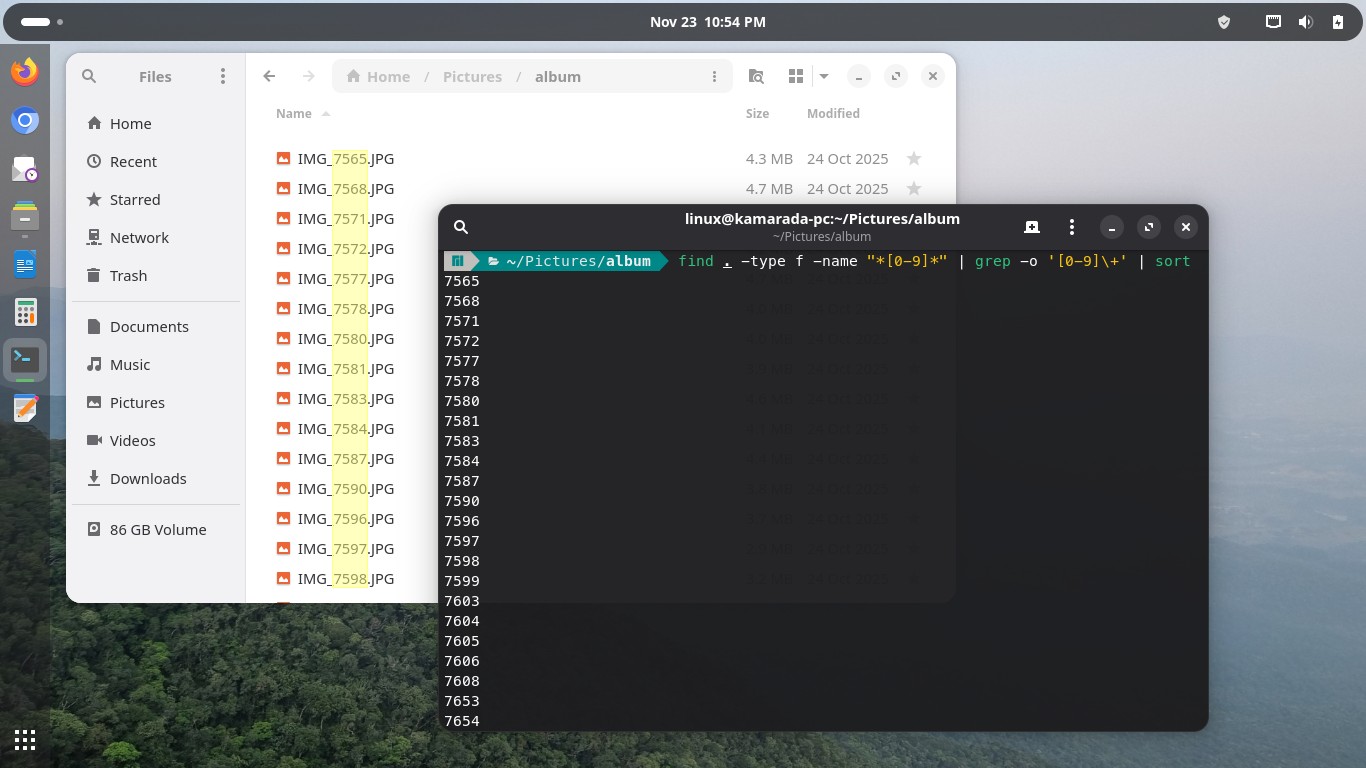
I moved many photos to a folder and needed to list them, but I needed only their numbers. The photos were named as they came out of the camera: IMG_7565.JPG, IMG_7568.JPG, IMG_7571.JPG… I needed just the numbers: 7565, 7568, 7571… They were just 30 photos; I could easily have typed the numbers one by one...

Comments Read more ›

Today, Microsoft is ending official support for Windows 10. This leaves users who want to continue using the operating system with few alternatives – especially if they have an old PC that is not compatible with Windows 11’s demanding hardware requirements – other than buying a new PC.

Comments Read more ›

Last week, openSUSE Leap 16.0 was released. I didn’t give it the attention it deserved, in part because I’m also working on another project, that I want to share today: there will be no “Linux Kamarada 16.0”. Instead, Linux Kamarada is moving its base from openSUSE Leap to Manjaro.

Comments Read more ›

About

The Linux Kamarada Project aims to spread and promote Linux as a robust, secure, versatile and easy to use operating system, suitable for everyday use be at home, at work or on the server. The project focuses mainly on distribution and documentation.

Ads

Facebook

Author